版本 v1.0 · 更新日期 2026-05-24
B6.1 n8n 三條 flow
| Flow | 名稱 | 觸發 | 狀態 |
|---|
| 1 | Paperform → GHL | (無 n8n,GHL inbound webhook 直收) | tested OK 2026-05-20 |
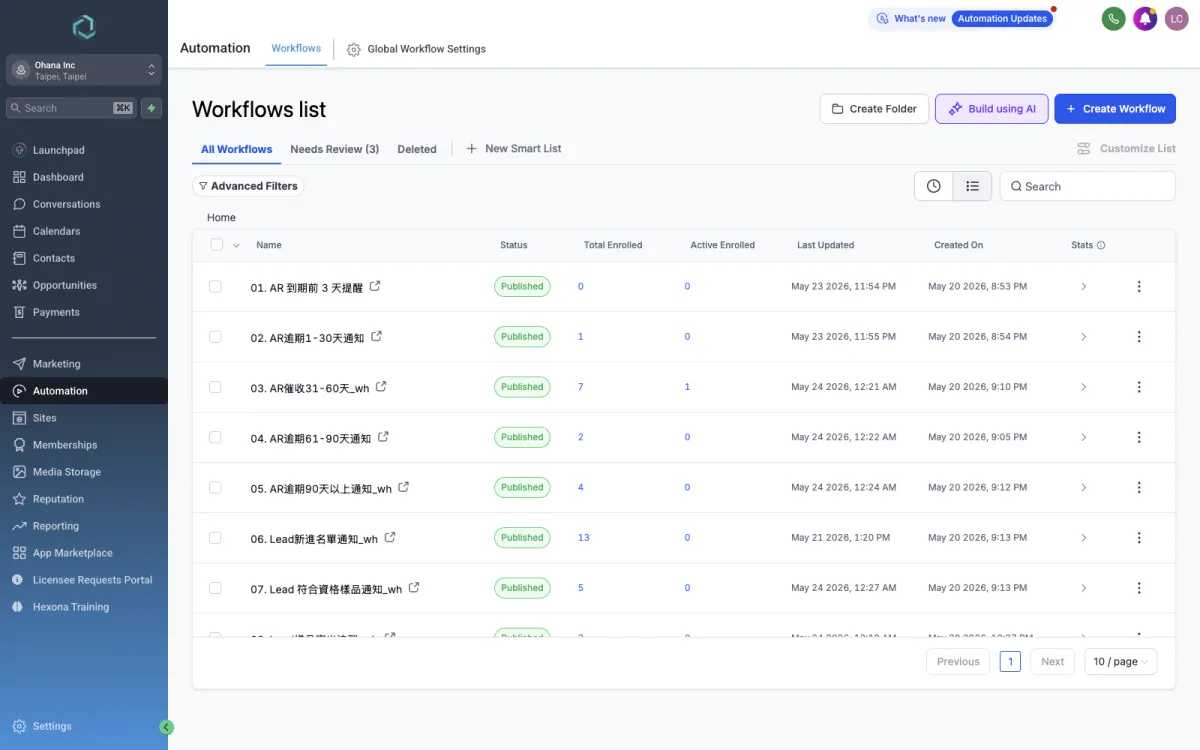
| 2 | GHL workflow → n8n → LINE OA | workflow #03/#05/#06/#07/#08/#09 內的 webhook step | active 但低優先(內部通知改 App push) |
| 3 | 每日 AR 帳齡重算 | cron 0 1 * * * (台北 09:01) | active |
| ★ 主 | SHOPLINE → n8n → GHL 訂單同步 | SHOPLINE webhook (order/create + order/update) | active |
B6.2 SHOPLINE 訂單同步 flow(最重要)
架構
SHOPLINE webhook
  ↓
n8n Webhook node (https://leo20817.zeabur.app/webhook/shopline-order-7f3a2c)
  ↓
Code Node 1 (取單/正規化/路由)
  - GET SHOPLINE /orders/{id} 取完整資料
  - 提取 統編 candidates: invoice.tax_id + tags 內 8 位數字 + remarks 內 8 位數字
  - 判斷 route: skip(cancelled/failed)/ paid / pending
  - 判斷 b2bByOrder: line item title 含 "b2b" 或 統編 > 0
  ↓
Code Node 2 (GHL 同步)
  - 6 小時 cache AR registry(統編 → AR 帳戶 contactId + netDays)
  - 統編比對 registry:
    * 命中 → AR 訂單:在 AR 帳戶建 AR 卡 + 更新累計 + 寫 Note
    * 未命中 → 一般訂單:upsert 下單人 contact + 更新累計 + 寫 Note
  - 名單轉換:該 contact 的 Lead Pipeline 開啟卡 → 自動移 Won + 移 lead tag
  - B2B/B2C 分類:b2bByOrder OR 有 lead 表單欄位 → b2b;否則 b2c (清 companyName)
  ↓
return { status, route, order, isAR, contactId, opportunityId, action, segment, leadConverted }
程式來源
n8n flow 的 JSON 由產生器 /Users/macbook/Desktop/Kimino CRM/gen_n8n.py 編出。不要直接改 .n8n.json,改 gen_n8n.py 然後重 run 產出 → 重 import 到 n8n。
B6.3 健康檢查清單
| 項目 | 怎麼查 | 頻率 |
|---|
| n8n executions(SHOPLINE flow) | n8n 後台 → Executions → filter by webhook | 每天看一次有沒有 failed |
| SHOPLINE webhook 訂閱 | SHOPLINE API GET /v1/applinks/webhooks | 每月確認 status=active |
| PIT token 到期 | GHL Settings → Private Integrations | 到期前 1 個月手動換 |
| n8n Zeabur 額度 | Zeabur dashboard | 每月看一次 |
| 每日 AR 帳齡重算 | n8n executions → schedule trigger | 每天 09:01 後確認跑過 |
B6.4 PIT token 輪替 SOP
- GHL Settings → Private Integrations → 建新 PIT(同樣 scopes:customFields.write / tags.write / products.write / contacts.write / opportunities.write / products/prices.write)
- 把新 token 字串記下
- 到 n8n 後台 → Settings → Variables → 把舊 PIT 環境變數換新
- 逐一更新所有引用的 flow / Code node
- 測試:手動觸發 SHOPLINE flow 一次,確認 OK
- 確認 OK 後 → GHL UI 刪掉舊 PIT
B6.5 緊急停用 workflow
- GHL Automation → Workflows → 找到要停的 workflow
- 右上 Publish 旁有 toggle:Published / Draft
- 切到 Draft → 立即停止觸發(已 enroll 的 contact 還會跑完當前 step,新 contact 不再 enroll)
- 若要徹底擋:直接刪該 workflow(有備份再做)